DOIT ESP8266 and ESP8285 Download Fixtures: First Use
Setup, programming checks, troubleshooting and documentation for DOIT ESP8266 and ESP8285 Download Fixtures.
On this page
Check target and orientationFind the serial portEnter download modeRead flash identification firstWrite a matched imageIf the first upload failsRelated fixturesReferences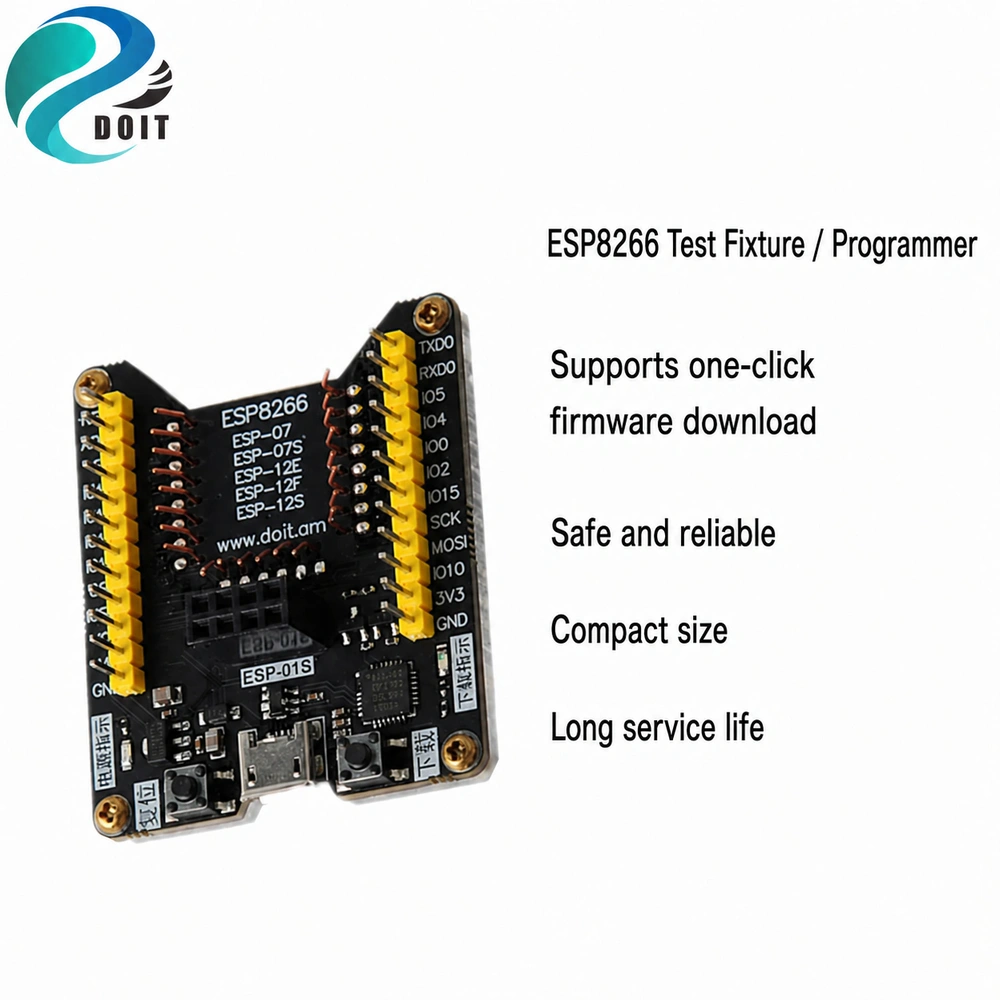
These are module programming fixtures, not universal programmers for loose ICs. Verify socket compatibility, voltage and reset circuitry before inserting a module.
Check target and orientation
- Match the fixture socket and supported module list to the exact module footprint. Chip family alone is insufficient.
- With no module fitted, identify voltage selections and measure the module supply rail.
- Disconnect power, insert the supported module in the documented orientation, and inspect contact alignment.
Find the serial port
Connect a known USB data cable. Identify the actual USB-UART bridge and its driver. Compare connected/disconnected port lists and close other programs using the selected port.
Enter download mode
Use automatic reset only if the fixture provides the matching reset circuit. Otherwise follow its BOOT/FLASH and RESET controls. ESP8266 download needs GPIO0 low at reset, GPIO2 high and GPIO15 low; check which straps are already provided. A module pad number is not necessarily its GPIO number.
Read flash identification first
Install Espressif esptool in a Python environment. Replace COM3 below with the detected port. This query does not erase firmware.
python -m esptool --port COM3 flash-idWrite a matched image
Record flash identification, ordered option and firmware version. Use the exact image package and its address map, or let the build system flash its own output. There is no universal write address for supplier packages. Power off before changing modules.
If the first upload fails
- No port: identify the USB bridge, use a data cable and the matching driver. A bare module has no USB bridge unless its carrier provides one.
- Connecting timeout: check ground, crossed UART wires, enable/reset and boot straps; disconnect peripherals from strapping pins.
- Repeated resets: inspect the 3.3 V rail during startup and radio activity. An adapter output may not supply the required peak current.
- Upload succeeds but the application fails: release the download strap, reset and check target, memory configuration and the serial log.
Related fixtures
| Product / variant family | SKU |
|---|---|
| ESP8266 Download Debugger, Supports ESP-F/F1/12F/12E/07/07S/01/01S Modules | DB41543 |
| ESP8285 Download Debugger, Supports ESP-M1/M2/ESP-01/01S Modules, All I/O Pins Exposed | DB41551 |
Module wiring and firmware guide
References
Documentation reviewed: 17 November 2026. Hardware instructions are based on the linked manufacturer documents; no physical bench test is claimed.
Share the product link, hardware revision, software version and any error messages.
Contact ESP32S support →