OV2640 / OV3660: Camera Replacement & Compatibility
Check camera connectors, ribbon orientation and firmware support before replacing an OV2640 or OV3660 on an ESP32 camera board.
On this page
Separate upload and camera faultsBefore ordering a replacementWhat firmware support tells youReplace the ribbon with power disconnectedStart with a conservative capture testDiagnose the resultCompare modules without assuming equivalenceRequest compatibility helpRelated productsSources and review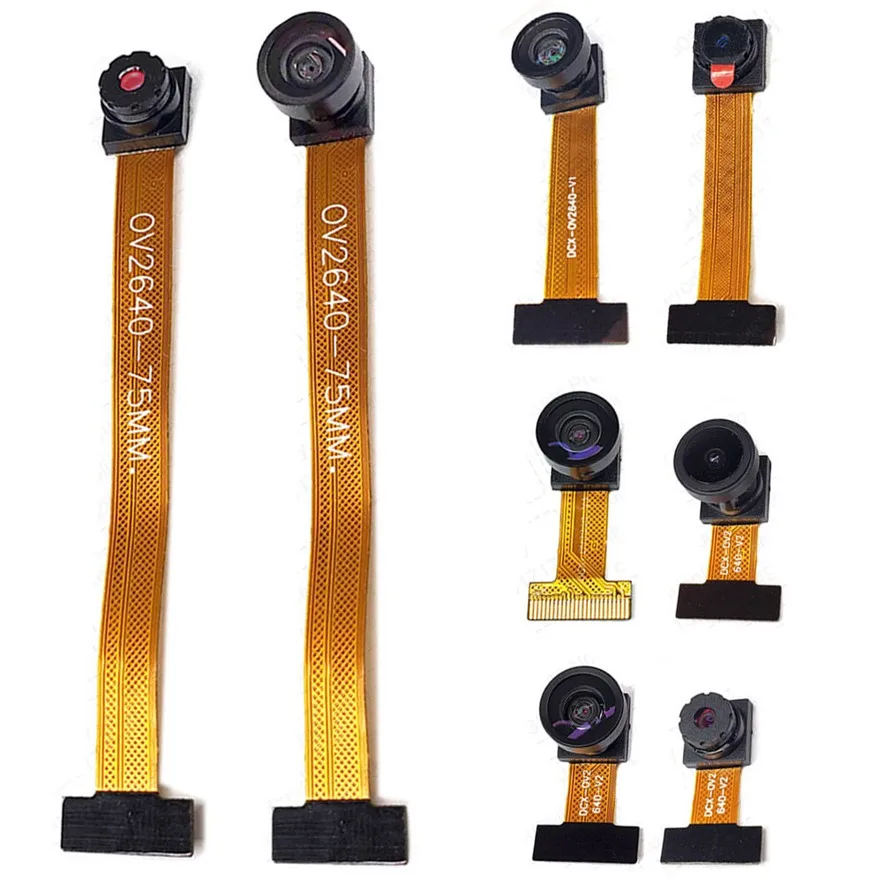
This guide is for replacing a camera on an existing ESP32 camera-capable board. The linked products are sensor modules, not complete ESP32-CAM development boards. A physically fitting 24-pin connector does not establish electrical or firmware compatibility.
Separate upload and camera faults
If esptool reports “No serial data received”, first follow the ESP32-CAM upload checklist. That message does not test the sensor. Establish a working board upload before buying a replacement camera.
Before ordering a replacement
- Identify host board, PCB revision and original sensor marking.
- Compare connector pitch, contact count and electrical pinout with the host documentation.
- Check which side of the ribbon has exposed contacts and how the socket mates to it; cable color alone is not a reliable guide.
- Check cable length, connector location and lens clearance against the enclosure.
- Confirm sensor support in the actual firmware, not just the chip family.
What firmware support tells you
Espressif’s esp32-camera driver lists OV2640 and OV3660 and supports ESP32, ESP32-S2 and ESP32-S3 hosts. This is software support, not certification that every module fits every host. The example board configuration must still match the host pin mapping. Arduino-ESP32 includes the camera driver.
Replace the ribbon with power disconnected
- Disconnect USB and any battery or external supply.
- Photograph the original cable and socket before removal.
- Release the socket latch using its proper mechanism. Do not pull a locked ribbon or lever the socket from the PCB.
- Insert the replacement squarely, fully and with the correct contact orientation, then secure the latch.
- Check for skew, damaged contacts and strain before restoring power.
Start with a conservative capture test
Use the camera example for your exact host board. Start with a small JPEG frame, one frame buffer and the documented memory settings before testing higher resolution or continuous streaming. Espressif notes that larger camera configurations generally need enabled PSRAM and that RGB/YUV acquisition can place more load on memory.
Diagnose the result
- Sensor not detected: power down and recheck seating, pin mapping, reset/power-down configuration and sensor support.
- Initialization succeeds but capture fails: reduce the requested frame size and check the complete power and memory configuration.
- Image is mirrored or rotated: inspect software orientation settings before changing the cable.
- Image is soft or color differs: check focus, protective film, lens option and lighting; do not assume a higher pixel count guarantees a better result.
Compare modules without assuming equivalence
The 75mm OV3660 is a separate cable-length option. Verify the actual selected option; viewing-angle, optical-filter and connector details require option-specific confirmation. Preserve the working original so it can be used as a baseline.
Request compatibility help
Send support clear photos of both sides of the host, original camera and connector, plus the product option, firmware version and full error log. Do not order based only on “24PIN” or “ESP32 compatible”.
Related products
- OV2640 2MP Camera Module – 24-Pin DVP, Lens & Cable Options
- OV3660 3MP Camera Module – 24-Pin DVP for ESP32 Camera Projects
- 75MM OV3660 Camera Module for ESP32 CAM ESP32 S3 Development Board 68 80 120 160 Degrees YUV RGB HD 3MP DVP 24PIN Interface
Sources and review
- https://github.com/espressif/esp32-camera
- https://docs.espressif.com/projects/esptool/en/latest/esp32/troubleshooting.html
Reviewed 2026-10-30 against documentation. No physical board or camera bench test is claimed.
Share the product link, hardware revision, software version and any error messages.
Contact ESP32S support →