Grove Light Sensor with ESP32: Analog Readings
Connect the Grove Light Sensor v1.2 to an ESP32 ADC, average readings and set repeatable light thresholds without inventing a lux conversion.
On this page
Understand the analog outputPrepare the ESP32-C3Wire the analog Grove connectionRead and average the inputBuild a repeatable thresholdTroubleshootingSoftware versions and validationDownloads and referencesRelated products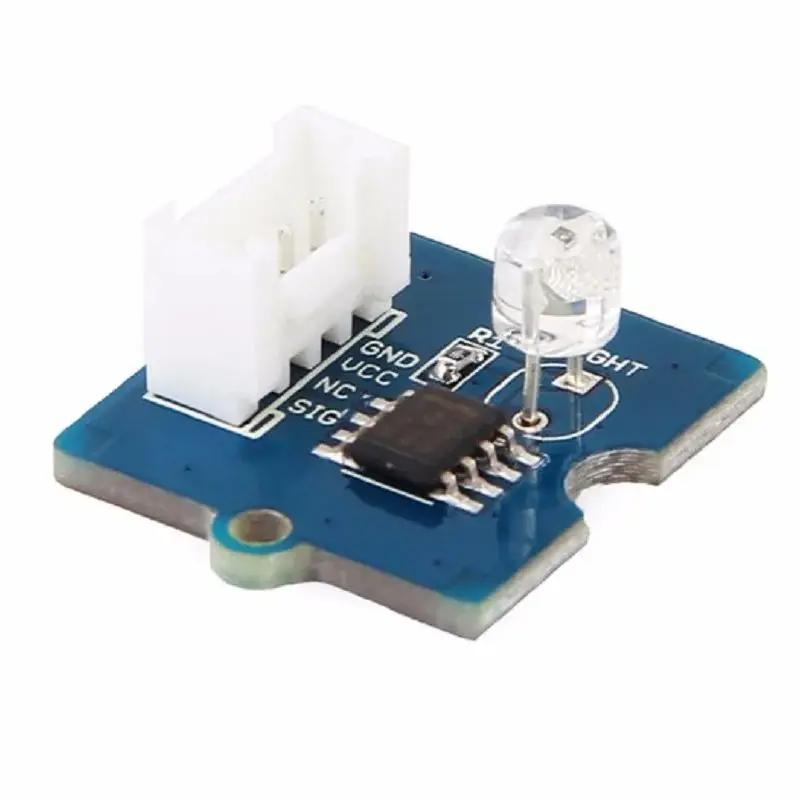
Connect the Grove Light Sensor v1.2 to an ESP32 analog input and compare readings under bright and dark conditions. Start with relative light trends rather than assigning an unverified lux value to each ADC count.
Understand the analog output
The v1.2 module provides an analog signal. The voltage and ADC reading change with illumination; this is not an I2C device and it should not appear in an I2C scan. The spectral peak listed for the sensor is a wavelength response characteristic, not a light-level range.
Prepare the ESP32-C3
Install esp32 by Espressif Systems in Arduino Boards Manager. The C3 examples use ESP32C3 Dev Module with USB CDC On Boot enabled and Serial Monitor at 115200 baud. Start with a working Arduino upload setup, then disconnect power before changing wires.
The sketch uses GPIO4 as an available ADC input on this C3 example. A different ESP32 family has different ADC-capable pins. Choose the input from the actual controller pinout.
Wire the analog Grove connection
| Module signal | ESP32-C3 example |
|---|---|
| VCC | 3V3 |
| GND | GND |
| SIG / analog output | GPIO4 |
| Unused Grove contact | Leave unconnected |
Power this first test from 3.3 V and verify the actual module output before applying a signal to the ADC. Do not power the sensor from 5 V and assume its analog output will still be safe for an ESP32 input.
Read and average the input
The sketch prints a 32-sample average and the core’s approximate millivolt reading. The two values come from separate samples and are diagnostic estimates, not a calibrated light meter.
constexpr uint8_t LIGHT_PIN = 4;  // ESP32-C3 GPIO4, not physical pin 4
void setup() {
  Serial.begin(115200); delay(1500);
  analogReadResolution(12);
  analogSetPinAttenuation(LIGHT_PIN, ADC_11db);
}
void loop() {
  uint32_t sum = 0;
  for (int i = 0; i < 32; ++i) { sum += analogRead(LIGHT_PIN); delay(2); }
  Serial.printf("Average ADC=%lu/4095; approx input=%lu mV\n",
                (unsigned long)(sum / 32),
                (unsigned long)analogReadMilliVolts(LIGHT_PIN));
  delay(500);
}
Build a repeatable threshold
- Record the average in the installed dark condition.
- Repeat under the intended bright condition without changing the mounting geometry.
- Choose separate turn-on and turn-off thresholds between those observed values.
- Use that gap as hysteresis so a small fluctuation does not repeatedly switch the application.
If the signal stays near the ADC limit, change the measurement setup rather than blindly mapping 0–4095 to 0–100%. ADC resolution, attenuation and board tolerances affect the input conversion. An external ADS1115 ADC can be useful, but it does not create a lux calibration by itself.
Troubleshooting
| Symptom | Check next |
|---|---|
| No device in I2C scanner | This sensor is analog; use analogRead on an ADC-capable pin. |
| Reading stuck near zero | Check SIG contact, ground and actual output voltage. |
| Reading saturated | Check sensor supply, output and ADC attenuation/input range. |
| Value flickers | Average samples, stabilize lighting and add threshold hysteresis. |
| Lux differs from a light meter | Raw ADC counts are relative; use a calibrated sensor or a measured conversion model for lux. |
Software versions and validation
Documentation reviewed on October 21, 2026. The included minimal sketch was compile-checked with Arduino-ESP32 3.3.0; library versions are listed below. Compilation does not replace a test on your physical module.
Only Arduino-ESP32 built-in APIs are required for the supplied example.
Downloads and references
- Seeed Grove Light Sensor usage
- ESP32 ADC API and input considerations
- Espressif Arduino-ESP32 documentation
Download the minimal Arduino sketch (.zip)
Related products
Share the product link, hardware revision, software version and any error messages.
Contact ESP32S support →