ESP32-S3-Nano: Arduino Setup and Pin Numbering
Program the Waveshare ESP32-S3-Nano, check memory, and avoid confusing Nano D-pin labels with ESP32 GPIO numbers.
On this page
Check the board and power it over USBInstall the board profileUnderstand D pins versus GPIO numbersFirst serial and memory testExpected output and next wiring testRecover an upload connectionCommon questionsDownloads, references and validationCompatible product and related tutorials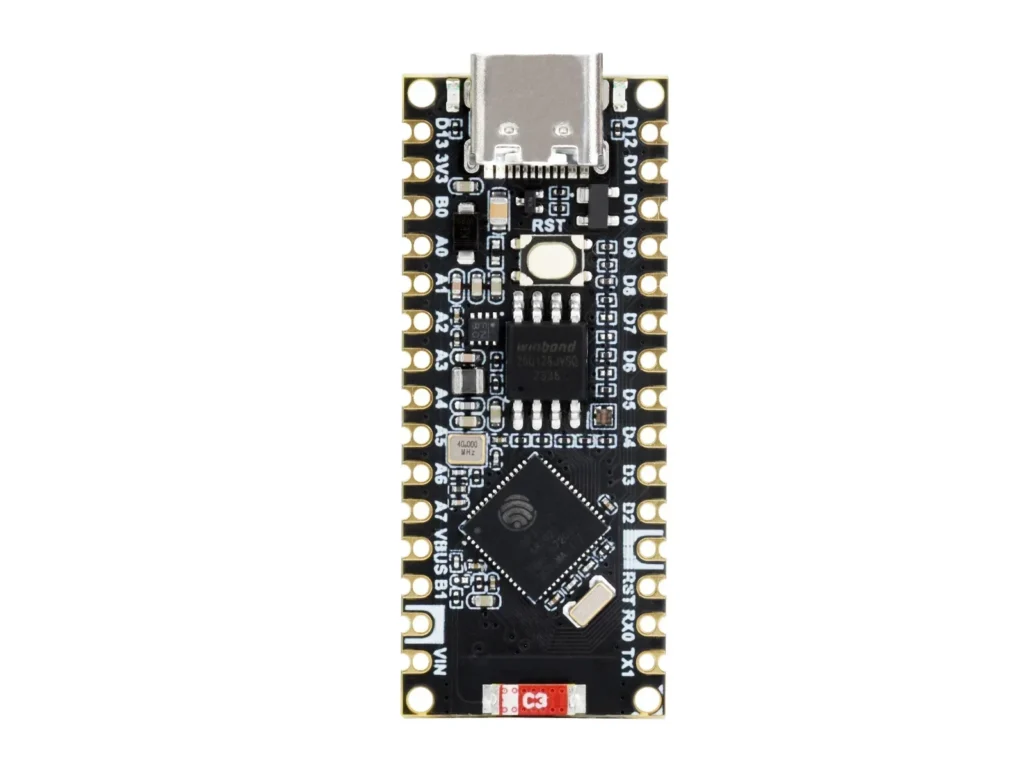
Check the board and power it over USB
Use the Waveshare ESP32-S3-Nano or Nano-M header version based on ESP32-S3R8. The documented board has 16 MB flash and 8 MB PSRAM. Start with USB-C power and no shields. Nano-shaped headers describe mechanical layout; they do not make the ESP32 GPIO tolerant of a 5 V signal.
Install the board profile
- Install Arduino IDE and the esp32 by Espressif Systems package. This example was compiled with 3.3.0.
- Select Arduino Nano ESP32, as used in Waveshare’s setup, and the board’s USB port. Use its profile defaults for memory and USB.
- Enable USB CDC when the profile provides that option, so
Serialreaches the USB monitor. - Do not alternate between a generic S3 profile and Nano profile without checking the pin-numbering convention.
Understand D pins versus GPIO numbers
| Header label | ESP32 GPIO | Use in Nano-profile code |
|---|---|---|
| D2 | GPIO5 | D2 |
| D3 | GPIO6 | D3 |
| A4 / SDA | GPIO11 | A4 / SDA |
| A5 / SCL | GPIO12 | A5 / SCL |
The Nano profile can offer By Arduino pin and By GPIO number. Symbolic labels such as D2 remain clearer across these modes. A bare integer 2 may refer to a different physical header depending on the setting. Match the Waveshare pin map before connecting anything; do not transplant GPIO4 wiring from a C3 tutorial unchanged.
First serial and memory test
#include <Arduino.h>
void setup() {
  Serial.begin(115200);
  delay(2000);
}
void loop() {
  Serial.printf("%s | cores=%u | flash=%lu | PSRAM=%lu | free heap=%lu\n",
    ESP.getChipModel(), ESP.getChipCores(),
    (unsigned long)ESP.getFlashChipSize(),
    (unsigned long)ESP.getPsramSize(),
    (unsigned long)ESP.getFreeHeap());
  delay(2000);
}
Keep the board attached while uploading. If the port changes after reset, reselect the application port before opening Serial Monitor at 115200.
Expected output and next wiring test
Expect an ESP32-S3 chip name and a flash size corresponding to 16 MB. With PSRAM enabled correctly, the diagnostic should report 8 MB. This output checks identification and available memory, not every header pin. After it works, test one 3.3 V peripheral using the header symbols and record the IDE pin-numbering option in your project.
Recover an upload connection
- If the board still runs its old program, close Serial Monitor and select the port that disappears when the board is unplugged.
- For a sketch that disrupts USB, use the board’s documented boot/download procedure and re-upload a minimal example. Follow the Waveshare recovery instructions for its B0/B1 pads rather than shorting guessed pins.
- If a shield worked on a 5 V Nano but fails here, check signal voltage, pin mapping and library support before reconnecting it.
Common questions
Is it a Raspberry Pi Pico? No. It uses an ESP32-S3 and needs an ESP32 software target. Can I use a Nano sketch? Basic Arduino code may port easily, but direct register access, 5 V peripherals and board-specific pin integers need review. Choose a board profile intentionally and keep it in your build notes.
Downloads, references and validation
Download the minimal Arduino sketch (.zip)
Reviewed 21 October 2026. The downloadable minimal sketch was compiled using Arduino-ESP32 3.3.0 with the board profile recorded in its README. This checks software compilation; wiring, sensor readings and supplied hardware have not been bench-tested.
Compatible product and related tutorials
Share the product link, hardware revision, software version and any error messages.
Contact ESP32S support →