WS2812 LED Matrix with ESP32: Power, Data & Pixels
Check the matrix variant, use suitable 5V power and level-shifted data, then map the panel with a dim moving-pixel example.
On this page
Confirm LED count and data directionPrepare a separate LED supplyWire power and level-shifted dataInstall the LED libraryRun a dim moving-pixel testMap the 8×8 panel before drawingTroubleshootingReferences and next stepsRelated product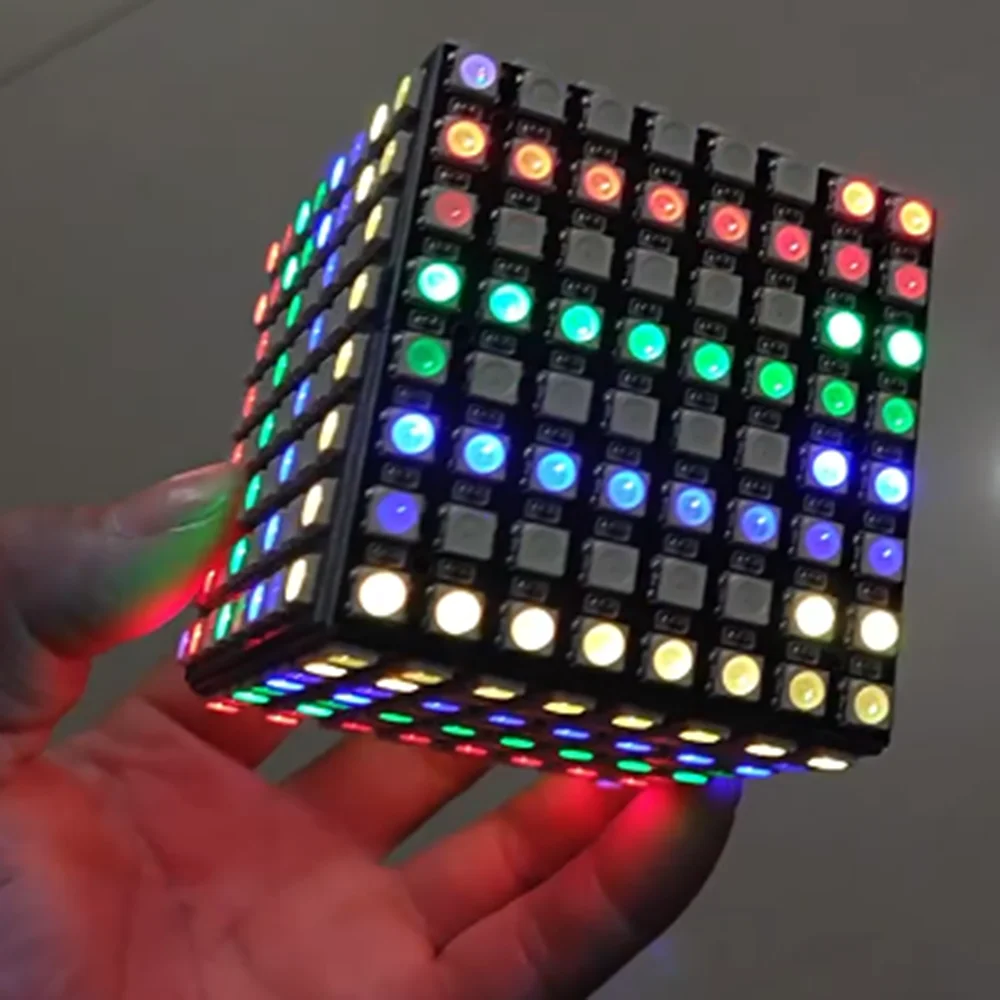
Light a moving pixel on a WS2812 RGB LED matrix with an ESP32. Start with low brightness and one illuminated pixel so power, data direction and LED order can be checked before drawing a full image.
Confirm LED count and data direction
The product has several pixel-count options. The example below selects the 64-pixel / 8×8 variant; change PIXEL_COUNT to match the actual module. Identify 5V, GND, DIN and DOUT from the printed labels. The controller sends data into DIN, while DOUT is for a following module.
Prepare a separate LED supply
Use a working ESP32-C3 Supermini, a regulated 5 V LED supply and wiring sized for the selected matrix. Do not power the matrix from an ESP32 3V3 pin. Bright full-matrix patterns can draw far more current than the one-pixel test; choose the supply for the intended pattern and the actual LED variant.
A typical 5 V WS2812 matrix needs a suitable 3.3-to-5 V logic buffer, such as an appropriately wired AHCT/HCT device, for reliable data from an ESP32. Direct 3.3 V signalling that happens to work on one unit is not a universal compatibility guarantee.
Wire power and level-shifted data
| Connection | Destination |
|---|---|
| Regulated LED supply +5 V | Matrix 5V, with correct polarity |
| LED-supply GND | Matrix GND, buffer GND and ESP32 GND |
| ESP32 GPIO4 | Suitable level-shifter input |
| Level-shifter output | Matrix DIN through a suitable series data resistor |
| Matrix DOUT | Leave free for this single-module test |
Follow the buffer's supply and enable-pin requirements. A series resistor near the first data input and suitable bulk capacitance at the matrix power input are common reliability measures; use values and polarity appropriate to the module and supply. Make power and data connections with the supply off.
Install the LED library
In Arduino Library Manager install Adafruit NeoPixel. Accept the required dependencies. Paste the complete example into a new sketch, click Verify, then Upload. If reporting a problem, include the board profile, package version and library version.
The example uses NEO_GRB + NEO_KHZ800, a common WS2812 format. Match the color order and protocol of your actual LEDs. For this ESP32-C3 example, GPIO4 is a chosen free data pin; change it if your board routes that pin elsewhere.
Run a dim moving-pixel test
Only one green pixel is requested at a time and brightness is limited to 32/255. This is a bring-up pattern, not a hardware current limiter. Keep the external supply and wiring suitable even when software requests low brightness.
#include <Arduino.h>
#include <Adafruit_NeoPixel.h>

constexpr uint16_t PIXEL_COUNT = 64; // Change to the number on your purchased variant.
constexpr int DATA_PIN = 4;
Adafruit_NeoPixel pixels(PIXEL_COUNT, DATA_PIN, NEO_GRB + NEO_KHZ800);
void setup() {
  pixels.begin();
  pixels.setBrightness(32);
  pixels.clear();
  pixels.show();
}
void loop() {
  for (uint16_t i = 0; i < PIXEL_COUNT; ++i) {
    pixels.clear();
    pixels.setPixelColor(i, pixels.Color(0, 255, 0));
    pixels.show();
    delay(120);
  }
}
Map the 8×8 panel before drawing
- Verify that the first requested pixel lights reliably.
- Watch the moving index to discover how the matrix chains rows.
- Record whether alternate rows reverse direction and which corner contains pixel zero.
- Build your x/y-to-index mapping from that observed layout before displaying text or bitmaps.
Do not assume every 8×8 board has the same serpentine order or connector orientation. If red/green/blue are swapped, correct the configured color order rather than rewiring power. When adding more panels, plan data direction, total pixel count, current and power distribution together.
Troubleshooting
| Symptom | What to check |
|---|---|
| Nothing lights | Check 5 V supply, common ground, DIN versus DOUT, buffer enable and correct pixel count. |
| Random flicker or unreliable colors | Check logic-high compatibility, data wiring, power integrity and ground return. |
| Colors are swapped | Check NEO_GRB versus the actual LED color order. |
| ESP32 resets with bright patterns | Keep matrix current out of the controller rail and inspect supply/wiring capacity. |
| An image zigzags incorrectly | Measure the physical index order and adjust the x/y mapping. |
References and next steps
- NeoPixel power and basic connections
- NeoPixel good-practice guidance
- Adafruit NeoPixel driver
- ESP32-C3 setup
Related product
WS2812 LED 5050 RGB 8x8 4 16 25 64 Bit LED Matrix Module for DIYArduino →
Share the product link, hardware revision, software version and any error messages.
Contact ESP32S support →