Grove PIR Sensors with ESP32: Wiring and Motion Test
Compare adjustable, Mini and Digital Grove PIR sensors, wire them for ESP32 3.3 V logic and read motion without an extra Arduino library.
On this page
Match the Grove PIR modelConnect one sensor at a timePrepare ArduinoRead motion transitionsExpected result and hold timeReduce false triggersUse it in a projectDownloads, references and validationCompatible product and related tutorials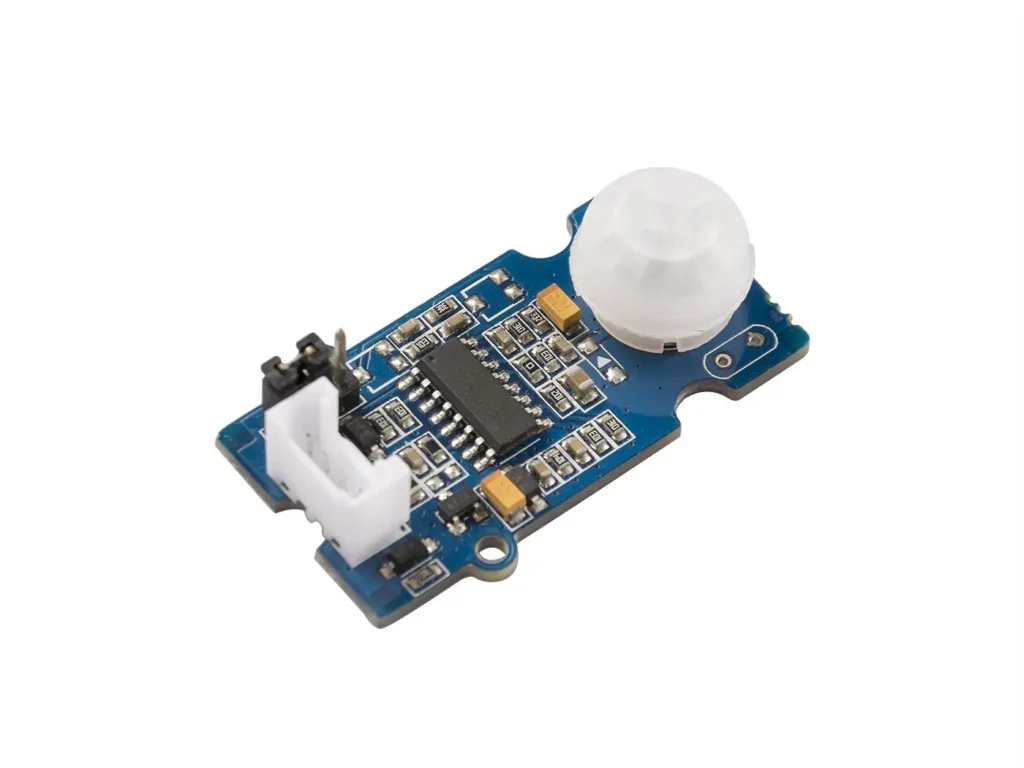
Match the Grove PIR model
| Product | Use this distinction |
|---|---|
| Adjustable Grove PIR | Distance and holding-time adjustments; manufacturer lists 3–5 V operation |
| Grove Mini PIR | Small module; use 3.3 V for the ESP32 example, not an assumed 5 V Grove port |
| Grove Digital PIR (12 m listing) | Manufacturer lists 3–5 V; quoted range depends on conditions |
All three are motion sensors that react to changes in infrared radiation. They do not measure distance, count people reliably or guarantee detection of a person sitting motionless. Use a radar presence sensor for a different sensing approach; do not equate the two outputs.
Connect one sensor at a time
| Grove wire / label | Example ESP32-C3 connection |
|---|---|
| Red / VCC | 3V3 |
| Black / GND | GND |
| Yellow / SIG | GPIO4 |
| White / NC | Leave disconnected for these single-signal modules |
Confirm the module pin labels and connector orientation first. Use a 3.3 V Grove adapter or jumper wiring for this test. A Grove plug is a connector format; a carrier’s port may supply 5 V. Do not feed a 5 V output into ESP32 GPIO. No external Arduino sensor library is needed.
Prepare Arduino
- Select your ESP32-C3 board, enable USB CDC and open a new sketch. This example was compiled with Arduino-ESP32 3.3.0.
- Leave the sensor facing an open, quiet area while it settles after power-on. Allow at least a minute initially and longer if output has not stabilised.
- Keep the same supply and GPIO while testing each module so you can compare behaviour.
Read motion transitions
#include <Arduino.h>
constexpr int PIR_PIN = 4;  // ESP32-C3 GPIO4, Grove yellow SIG
int previous = -1;
void setup() {
  Serial.begin(115200);
  pinMode(PIR_PIN, INPUT);
  delay(2000);
  Serial.println("Allow PIR to settle, then walk across its view.");
}
void loop() {
  int state = digitalRead(PIR_PIN);
  if (state != previous) {
    Serial.printf("%lu ms: %s\n", (unsigned long)millis(),
                  state ? "MOTION/HIGH" : "LOW");
    previous = state;
  }
  delay(20);
}
This example prints only state transitions. It does not treat each loop iteration with HIGH as another person or another motion event. Open Serial Monitor at 115200 baud and walk across the field of view.
Expected result and hold time
Expect a HIGH/motion transition as someone moves across the view, followed by LOW when the module’s configured hold and retrigger behaviour allow it. The adjustable model’s potentiometers affect detection threshold/distance and output hold time; hold time is not the same as how quickly a sensor notices movement. Mini and Digital models do not acquire the adjustable model’s features just because they share a Grove connector.
Reduce false triggers
- Keep the sensor away from direct sunlight, hot airflow and rapidly changing heat sources.
- Test at room temperature before comparing detection range. Walk across the view at several positions and record where triggering is dependable.
- If HIGH persists, wait out hold time and check retrigger settings on the adjustable version.
- Use stable mounting and the proper lens orientation. Avoid changing the lens or soldering sensitivity parts before a basic test succeeds.
Use it in a project
For an automatic light, maintain a last-motion timestamp and switch off after your chosen interval rather than blocking the entire loop with a long delay. Treat the sensor as one input to the application. The 12 m product name is an upper-range reference from the manufacturer, not a promise for every room or mounting height.
Downloads, references and validation
Download the minimal Arduino sketch (.zip)
Reviewed 21 October 2026. The downloadable minimal sketch was compiled using Arduino-ESP32 3.3.0 with the board profile recorded in its README. This checks software compilation; wiring, sensor readings and supplied hardware have not been bench-tested.
Compatible product and related tutorials
Share the product link, hardware revision, software version and any error messages.
Contact ESP32S support →