LILYGO T-Deck Plus: Arduino, GPS Check and Meshtastic Target
Set up the T-Deck Plus ESP32-S3 handheld, test GPS UART data and avoid mixing factory, keyboard and Meshtastic firmware.
On this page
Confirm the Plus model and radio optionKeep three firmware tasks separatePrepare an Arduino diagnosticUse the Plus GPS UART mappingUpload and inspect GPS outputInstall Meshtastic or restore the factory programTroubleshootingDownloads and reference versionsProduct and related tutorials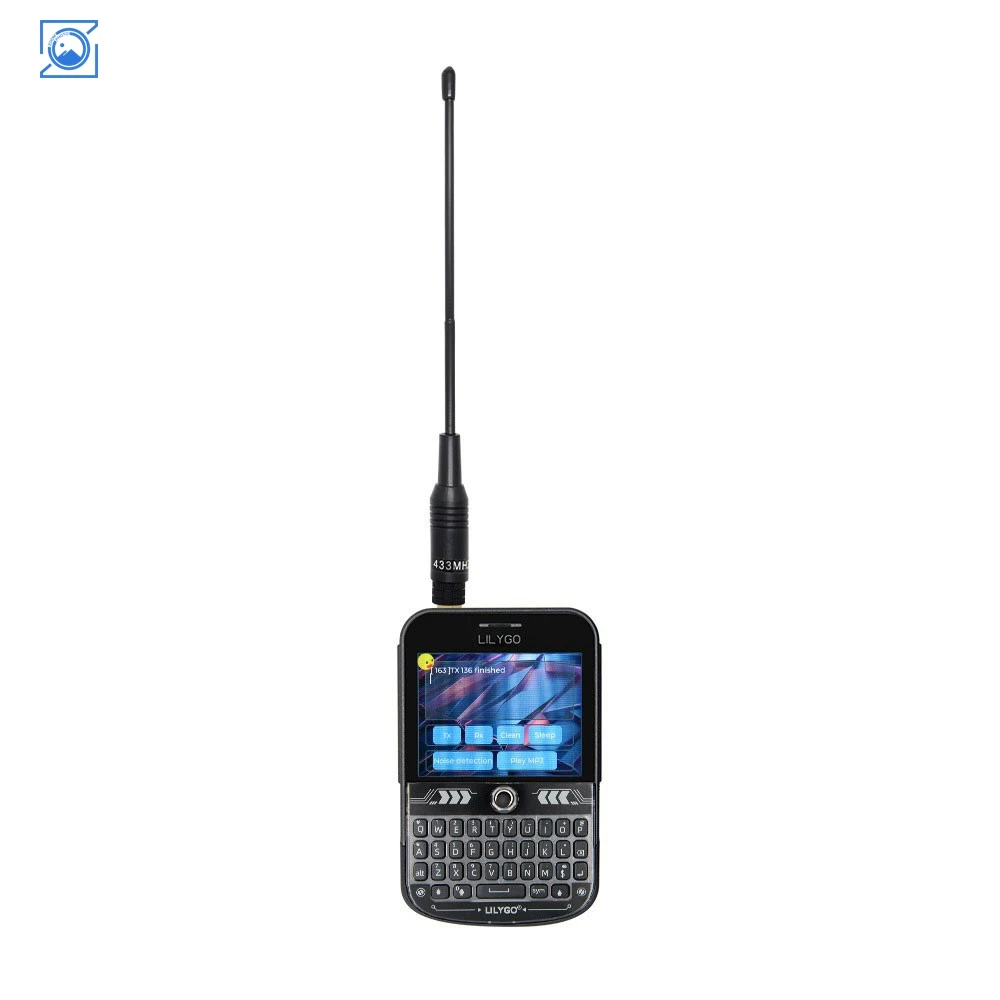
Confirm the Plus model and radio option
T-Deck Plus is an ESP32-S3 handheld with a keyboard, trackball, 2.8-inch ST7789 display and GPS. The radio options on this listing are 433, 868 and 915 MHz. Choose the physical option and antenna for the intended band; these are not three antennas or three concurrently operating radio modules. Plus, original T-Deck and T-Deck Pro are different products.
Keep three firmware tasks separate
| Task | Correct scope |
|---|---|
| Factory display/input test | Use LILYGO’s model-matching examples or current LilyGoLib factory package |
| Keyboard-controller repair | Separate keyboard-controller firmware; not a routine main-board upload |
| Meshtastic installation | Use the documented T Deck target and a release supporting the desired UI/GPS features |
Photograph or record any working factory demo before replacing it, and retain the matching restore package. Installing Meshtastic replaces the main application; it does not preserve the factory screen menus.
Prepare an Arduino diagnostic
For the downloadable GPS-only test, select ESP32S3 Dev Module, 16 MB flash, OPI PSRAM and USB CDC enabled. It was compiled on Arduino-ESP32 3.3.0 with TinyGPSPlus. This is separate from the legacy T-Deck graphics examples: their README documents a 2.0.14-era baseline and bundled display libraries. Do not use this compile result as proof that the complete TFT/LVGL factory program builds on core 3.3.0.
Use the Plus GPS UART mapping
| Signal in this sketch | ESP32 GPIO / action |
|---|---|
| Peripheral power enable | GPIO10 HIGH |
| ESP32 UART RX from GNSS TX | GPIO44 |
| ESP32 UART TX to GNSS RX | GPIO43 |
| GPS serial rate | Begin at 38400; try 9600 if no valid sentences are decoded |
The Plus reuses the Grove connector signals for GPS. Do not connect a general Grove sensor there while using its internal GPS. The GPS-only sketch sends no recovery or configuration commands and leaves display/radio testing to their matching examples.
Upload and inspect GPS output
#include <Arduino.h>
#include <TinyGPS++.h>
TinyGPSPlus gps;
constexpr uint32_t GPS_BAUD = 38400;  // Try 9600 if no valid sentences
constexpr int GPS_RX = 44;  // ESP32 RX receives GNSS TX
constexpr int GPS_TX = 43;  // ESP32 TX goes to GNSS RX
void setup() {
  Serial.begin(115200);
  pinMode(10, OUTPUT);  // T-Deck peripheral power enable
  digitalWrite(10, HIGH);
  delay(1000);
  Serial1.begin(GPS_BAUD, SERIAL_8N1, GPS_RX, GPS_TX);
}
void loop() {
  while (Serial1.available()) gps.encode(Serial1.read());
  static uint32_t previous = 0;
  if (millis() - previous >= 2000) {
    previous = millis();
    Serial.printf("chars=%lu valid_sentences=%lu satellites=%lu\n",
      (unsigned long)gps.charsProcessed(),
      (unsigned long)gps.passedChecksum(),
      (unsigned long)gps.satellites.value());
    if (gps.location.isValid() && gps.location.age() < 10000) {
      Serial.printf("lat=%.6f lon=%.6f\n",
                    gps.location.lat(), gps.location.lng());
    } else Serial.println("Waiting for a fresh position fix");
  }
  delay(1);
}
At 115200 on the USB monitor, inspect both character count and valid sentence count. Bytes alone may be noise or the wrong baud rate. Valid sentences without a fresh position usually mean reception or fix acquisition still needs attention. Take the device outdoors and keep the antenna area clear; a first location fix can take time.
Install Meshtastic or restore the factory program
With the LoRa antenna fitted, use the Meshtastic flasher’s T Deck target for the documented T-Deck/Plus family, not T-Deck Pro. For manual download mode, follow the model’s trackball/power procedure linked below; the dark screen can be normal in boot mode. After flashing, set region, modem preset and channel/key to match a second test radio. For the original factory experience, return to LILYGO’s current factory package for your board revision.
Troubleshooting
| Problem | Check next |
|---|---|
| Blank screen after the GPS-only sketch | Expected: this diagnostic does not drive the LCD |
| GPS bytes but no valid sentences | UART rate, selected model and pin mapping; try the documented alternate baud |
| Display demo looks wrong | Use the repository’s matching ST7789 initialisation and bundled libraries |
| Keyboard works poorly after an app change | Input/UI support in that application; do not immediately reflash the keyboard controller |
| No upload port | Data cable and model-specific download mode; reselect the port after reset |
Downloads and reference versions
Download the minimal Arduino sketch (.zip)
- LILYGO T-Deck examples and legacy build instructions
- LILYGO GPS example and UART mapping
- LILYGO current factory-firmware repository
- Meshtastic T-Deck/Plus target and boot procedure
- TinyGPSPlus library
Reviewed 22 October 2026. The minimal sketch was compiled with Arduino-ESP32 3.3.0. Its ZIP includes the source and exact board profile; compilation does not establish electrical operation or sensor accuracy. No physical bench test was performed.
Example dependencies: TinyGPSPlus 1.1.0
Product and related tutorials
Share the product link, hardware revision, software version and any error messages.
Contact ESP32S support →