HLK-LD2410B with ESP32: Wiring, UART Test and Presence Detection
Wire the 5 V HLK-LD2410B radar to ESP32 3.3 V logic, check its 256000-baud UART and plan ESPHome presence integration.
On this page
What LD2410B measuresPower and wiring for ESP32-C3Select a hardware UARTUpload a non-destructive communications checkInterpret the first resultsConnect to Home Assistant through ESPHomeTroubleshoot without over-tuningDownloads, references and validationCompatible product and related tutorials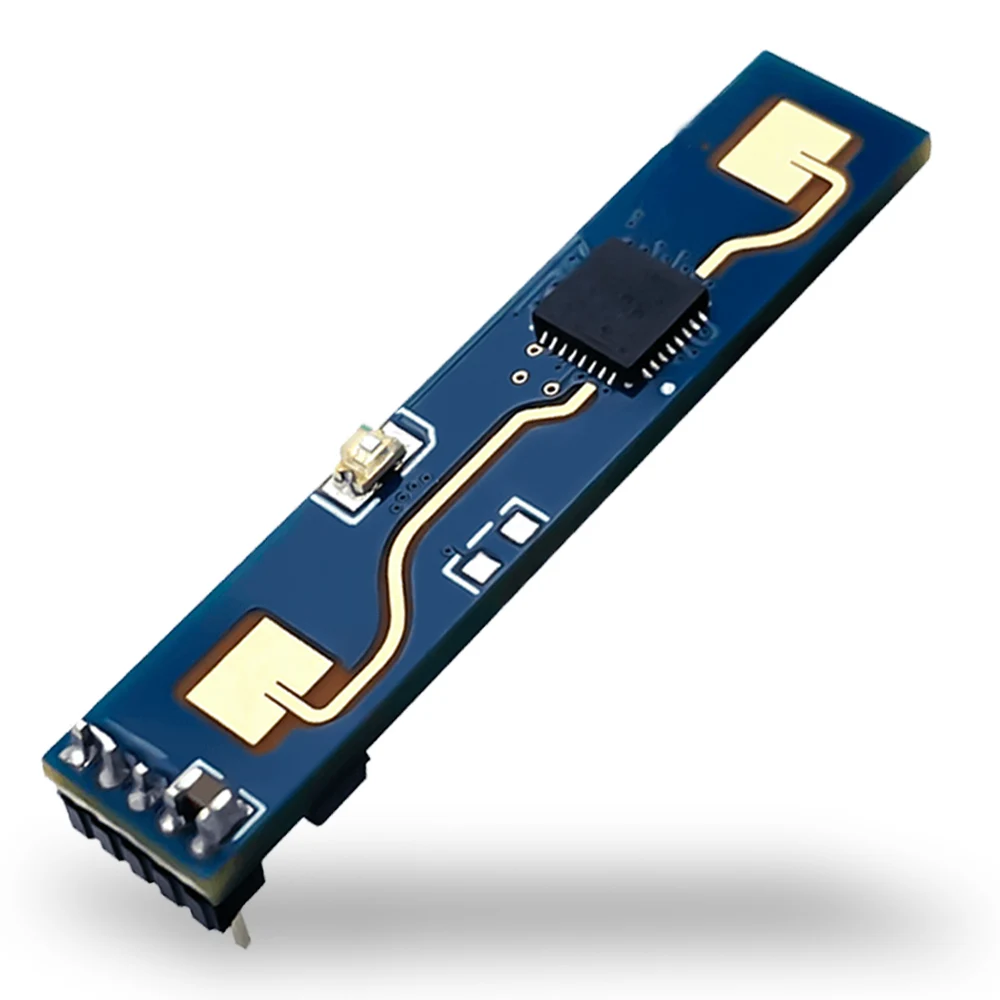
What LD2410B measures
LD2410B is a 24 GHz radar for moving/still-target presence applications. Its public integration reports target state, distance and energy information. It is not a heart-rate, ECG or diagnostic sensor. Bluetooth is used for configuration, while a microcontroller can use UART or the digital OUT signal. Keep its antenna face unobstructed and away from moving fans for the first test.
Power and wiring for ESP32-C3
| LD2410B label | ESP32-C3 connection | Purpose |
|---|---|---|
| VCC | Regulated 5 V supply | Radar power; do not use the C3 3V3 rail |
| GND | GND | Common reference |
| TX | GPIO4 (RX) | 3.3 V UART data from radar |
| RX | GPIO5 (TX) | 3.3 V commands to radar |
| OUT | GPIO6 | Digital output state |
Read the printed labels rather than assuming left-to-right connector order. Hi-Link specifies 5 V power and 3.3 V output logic. The radar draws roughly 80 mA in the manufacturer specification; choose a stable supply with margin. Do not accidentally connect 5 V to a GPIO.
Select a hardware UART
Install Arduino-ESP32 and select an ESP32-C3 profile with USB CDC enabled for the monitor. This sketch uses UART1 at the LD2410B default 256000 baud, 8N1; the computer monitor stays at 115200. If the module was previously reconfigured, use its saved UART baud rate instead of assuming the default. GPIO4/5/6 are this example’s C3 wiring, not universal pins for every ESP32 board.
Upload a non-destructive communications check
#include <Arduino.h>
HardwareSerial radar(1);
constexpr int RADAR_RX = 4;  // radar TX -> ESP32-C3 GPIO4
constexpr int RADAR_TX = 5;  // ESP32-C3 GPIO5 -> radar RX
constexpr int RADAR_OUT = 6;
uint32_t bytesSeen = 0;
uint32_t lastReport = 0;
void setup() {
  Serial.begin(115200);  // USB CDC
  radar.begin(256000, SERIAL_8N1, RADAR_RX, RADAR_TX);
  pinMode(RADAR_OUT, INPUT);
}
void loop() {
  while (radar.available()) {
    radar.read();  // Binary frames; count bytes without interpreting them
    ++bytesSeen;
  }
  if (millis() - lastReport >= 1000) {
    Serial.printf("UART bytes/s=%lu | OUT=%d\n",
                  (unsigned long)bytesSeen, digitalRead(RADAR_OUT));
    bytesSeen = 0;
    lastReport = millis();
  }
  delay(1);
}
This program counts received bytes and reads OUT; it does not change radar settings or parse distance/energy frames. A nonzero count confirms data is reaching the selected UART, not that every frame is valid.
Interpret the first results
Walk into and out of the sensing area while observing OUT and the UART byte count. After its configured absence delay, OUT should return to the module’s configured away state. Do not use the first reading as a fixed room occupancy verdict: sensitivity, gates, mounting and nearby movement affect it. Record the original thresholds before adjusting one setting at a time.
Connect to Home Assistant through ESPHome
For decoded moving/still states, follow the ESPHome ld2410 component linked below. Configure the hardware UART at the same baud, add the ld2410: hub and its has_target, has_moving_target or has_still_target entities. Use unused board pins and keep the logger off that radar UART. This article’s Arduino check and an ESPHome application are alternative firmware; upload one at a time.
Troubleshoot without over-tuning
| Problem | Check |
|---|---|
| UART bytes remain zero | Power, common ground, crossed TX/RX and the module’s stored baud rate |
| OUT works but UART is unreadable | Radar frames are binary; do not treat the raw stream as human-readable text |
| Presence always active | Moving objects, reflections, configured gates, sensitivity and absence timeout |
| Radar resets | Measure supply at the module while operating and improve the 5 V source/cabling |
Downloads, references and validation
Download the minimal Arduino sketch (.zip)
Reviewed 21 October 2026. The downloadable minimal sketch was compiled using Arduino-ESP32 3.3.0 with the board profile recorded in its README. This checks software compilation; wiring, sensor readings and supplied hardware have not been bench-tested.
Compatible product and related tutorials
Share the product link, hardware revision, software version and any error messages.
Contact ESP32S support →