XIAO MIDI Synthesizer: Play Your First Note with ESP32-C3
Set up the XIAO ESP32-C3 SAM2695 MIDI synthesizer, upload a quiet first-note sketch, and troubleshoot USB and audio output.
On this page
Separate the controller from the sound engineTry the existing firmware firstPrepare Arduino and the MIDI libraryUpload the first-note sketchExpected sound and serial outputTroubleshoot silence or stuck notesBuild a button instrument nextDownloads, references and validationCompatible product and related tutorials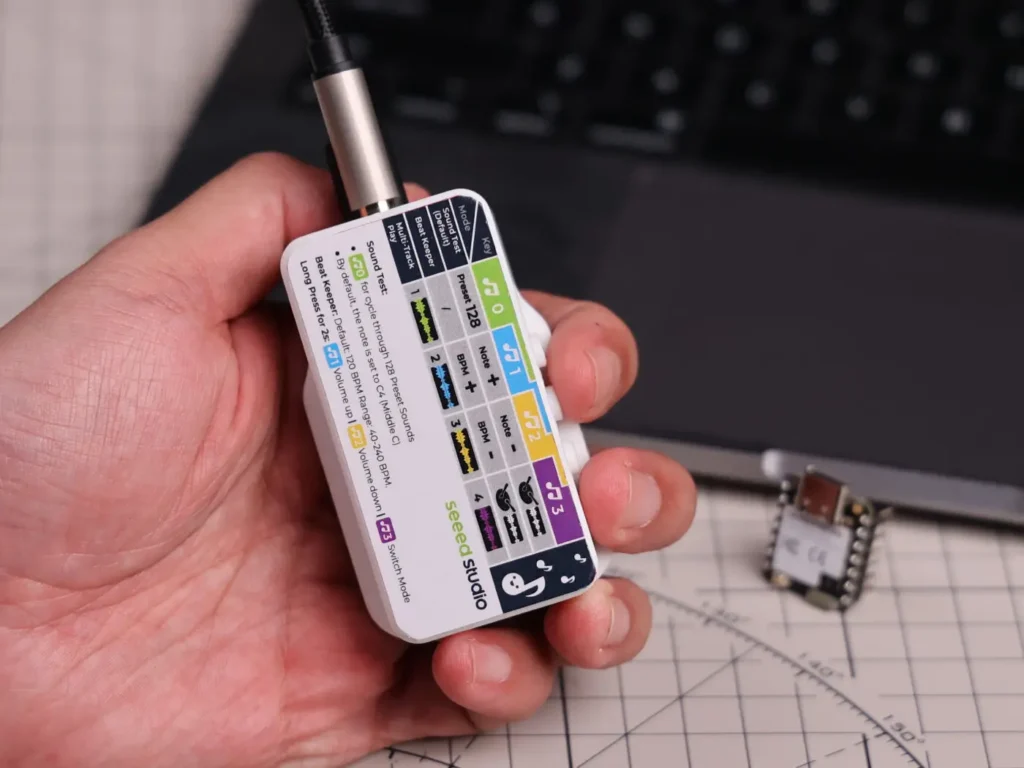
Separate the controller from the sound engine
The XIAO ESP32-C3 sends MIDI commands; the SAM2695 generates the instrument sound. This is not an I2S microphone or a USB audio recorder. The assembled unit includes its sound circuitry, speaker and controls. A useful first programming test is a single note with a clear off interval, before trying a song player or button interface.
Try the existing firmware first
Power the assembled device from USB-C. If a demo is installed, confirm that you can hear it before replacing firmware, and save any custom source you need. The manufacturer describes sound-test, metronome and multitrack modes, but the firmware in an individual shipment can vary. Keep external audio volume low when checking the 3.5 mm jack.
Prepare Arduino and the MIDI library
- Install esp32 by Espressif Systems and select XIAO_ESP32C3.
- Use USB CDC for the debug console. This example was compiled with Arduino-ESP32 3.3.0.
- Download/install Seeed_Arduino_MIDIMaster from the linked Seeed repository. Keep its version in your project notes.
- Use the assembled unit’s existing connections. The example sets the C3 UART pins explicitly: D7 is RX and D6 is TX. Leave the XIAO seated correctly and do not wire speaker outputs to GPIO.
Upload the first-note sketch
#include <Arduino.h>
#include <SAM2695Synth.h>
SAM2695Synth<HardwareSerial>& synth =
  SAM2695Synth<HardwareSerial>::getInstance();
void setup() {
  Serial.begin(115200);  // USB CDC monitor
  Serial0.setPins(D7, D6);  // XIAO ESP32-C3 RX, TX
  synth.begin(Serial0, 31250);
  delay(1000);
  synth.setInstrument(0, 0, 0);
  synth.setVolume(0, 40);  // Start quietly
}
void loop() {
  Serial.println("C4 on");
  synth.setNoteOn(0, 60, 50);
  delay(400);
  synth.setNoteOff(0, 60);
  delay(1600);
}
The code uses channel 0 and program 0 in the library’s zero-based numbering. It plays MIDI note 60 (C4), sends Note Off after 400 ms and waits before repeating. The initial channel volume is deliberately low; raise it gradually after the test succeeds.
Expected sound and serial output
You should hear a short piano-like note, followed by a quiet gap. Serial Monitor at 115200 should show “C4 on” for each cycle. A debug message confirms the loop is running, but it does not prove that UART commands reached SAM2695. The included example has no USB MIDI host interface; plugging in a USB keyboard alone will not make it a keyboard-controlled instrument.
Troubleshoot silence or stuck notes
| Symptom | Check |
|---|---|
| Debug text but silence | XIAO seating, MIDI library, UART pin assignment and audio volume |
| Built-in speaker silent with cable inserted | The audio jack can disable the onboard amplifier; remove the plug for the speaker test |
| Continuous sound | Send Note Off for the same note and channel; use setAllNotesOff(channel) while debugging |
| Unreadable debug monitor | Keep USB Serial separate from the 31250-baud MIDI UART |
Build a button instrument next
Once the single note works, handle button press and release as separate events. Send Note On only at a press edge and Note Off at release rather than flooding the UART every loop. A 128-value MIDI note space and up to 64-voice polyphony describe different limits; “128 notes” does not mean 128 simultaneously sounding voices.
Downloads, references and validation
Download the minimal Arduino sketch (.zip)
Reviewed 21 October 2026. The downloadable minimal sketch was compiled using Arduino-ESP32 3.3.0 with the board profile recorded in its README. This checks software compilation; wiring, sensor readings and supplied hardware have not been bench-tested. MIDI library version: 0.1.
Compatible product and related tutorials
Share the product link, hardware revision, software version and any error messages.
Contact ESP32S support →