2.4-inch CYD: ESP32-2432S024
Separate resistive, capacitive and non-touch variants and select a matching display project.
On this page
Choose the 2.4-inch variantReference display hardwareFirst power-on and USB checkDisplay pins for S024 reference boardsSelect and build the display demoCapacitive touch revision checkDisplay and touch acceptance checklistFirmware upload and recoveryTroubleshootingDocumentation sources and downloads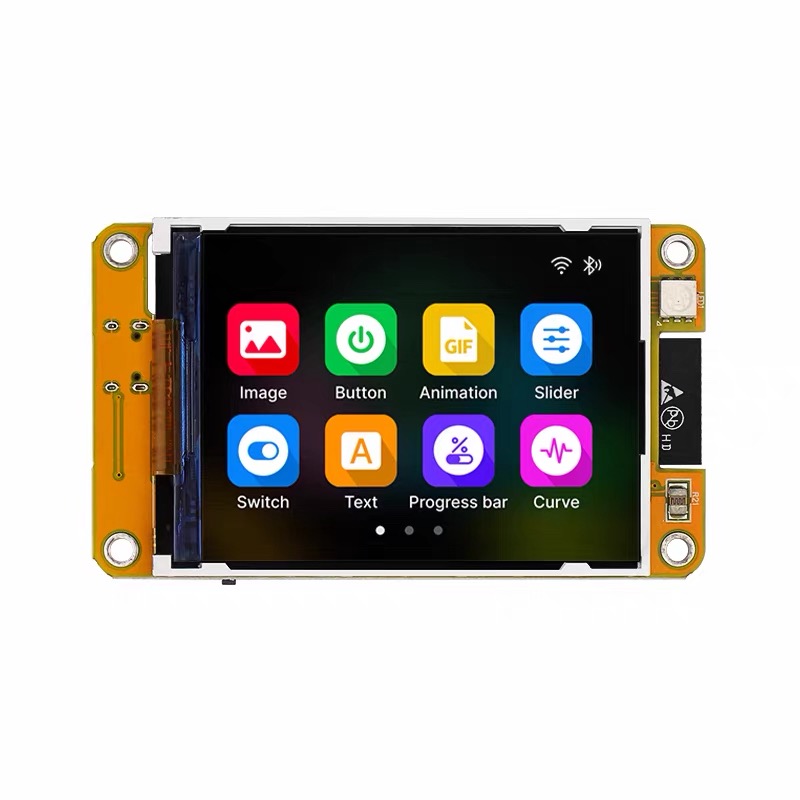
Choose the 2.4-inch variant
The listing covers the ESP32 240 × 320 2.4-inch display family. Its descriptions mention different touch types; identify the actual PCB suffix instead of selecting a driver from the screen size.
| PCB reference | Touch configuration | PlatformIO environment |
|---|---|---|
| ESP32-2432S024R | Resistive, XPT2046 reference | esp32-2432S024R |
| ESP32-2432S024C | Capacitive; controller revision must be checked | esp32-2432S024C |
| ESP32-2432S024N | No touch | esp32-2432S024N |
Reference display hardware
The S024R/C reference definitions use the classic ESP32, 4 MB flash and an ILI9341 SPI panel. Do not carry over the 2.8-inch board’s backlight or touch-bus configuration.
First power-on and USB check
Use a USB data cable. Photograph the working factory screen before replacing its firmware. Connect without extra wiring, identify the new serial port and use the USB checklist if no port appears.
A serial-only sketch checks programming independently of the display. Set the monitor to 115200 baud; it is not a screen test.
void setup() {
  Serial.begin(115200);
  delay(1000);
  Serial.println("ESP32S: serial connection OK");
}
void loop() { delay(1000); }
Display pins for S024 reference boards
| Display signal | GPIO (reference board) |
|---|---|
| MOSI | 13 |
| MISO | 12 |
| SCLK | 14 |
| CS | 15 |
| DC | 2 |
| Backlight | 27 |
For the S024R definition, resistive touch shares display MOSI 13, MISO 12 and clock 14; touch CS is 33 and interrupt is 36. This differs from the original S028R touch bus.
Select and build the display demo
Follow the CYD PlatformIO/LVGL workflow and select the exact S024 environment above. Begin with the repository’s minimal demo before importing a custom UI. Save the successful dependency versions and configuration.
Capacitive touch revision check
The published S024C profile identifies CST816S and an interrupt on GPIO 21, while a maintainer-repository issue reports units using CST820 with interrupt GPIO 22. The reference I²C pins are SDA 33 and SCL 32. Check your controller marking and use the driver for that revision; do not treat the current JSON file as proof of every shipped unit.
Read the S024C controller mismatch report.
Display and touch acceptance checklist
- Confirm that the demo fills the expected screen area and shows distinct colors.
- Test the center and all four corners. Record rotation and touch-coordinate errors separately.
- For resistive touch, run the project calibration procedure and save the results for that rotation.
- For capacitive touch, confirm controller detection, then check coordinate transforms.
- Reset once after disconnecting the serial monitor and confirm normal startup.
Firmware upload and recovery
Prefer the project upload command, which uses its generated bootloader, partition table and application layout. For a downloaded binary, follow the release manifest rather than assuming an offset or reusing another board’s firmware.
If connection fails, lower upload speed, close other serial programs and follow the board’s BOOT/RESET procedure. After reset, read the serial log before changing display settings. See the firmware flashing guide.
Troubleshooting
| Symptom | Next check |
|---|---|
| Backlight on, screen blank | Check controller, board profile and display interface before editing application code. |
| Image shifted or unstable | For RGB panels, verify timing and memory settings from the selected profile. |
| Touch does not respond | Check the touch variant and controller independently of the display. |
| Build fails after updating libraries | Restore the project’s pinned dependencies and matching LVGL major version. |
| Upload succeeds but board resets | Read the exception log and confirm target chip, flash layout and PSRAM settings. |
Documentation sources and downloads
References checked October 14, 2026. Board definitions document specific reference hardware; verify the revision on your board. These instructions have not been bench-tested on your individual unit.
Share the product link, hardware revision, software version and any error messages.
Contact ESP32S support →