
ESP32S Presence Radar — ESP32-S3 & LD2410C Kit
$29.00
In stock · Ready for immediate dispatch.
$29 complete kit: assembled ESP32-S3 mainboard, HLK-LD2410C presence radar and matching cable.
- Detect moving and stationary people.
- English local web interface; no cloud subscription.
- USB-C power and 2.4 GHz Wi-Fi setup.
Current stock: R1.1 outward radar layout, shown in the real product photos. No enclosure, USB cable or power adapter included.
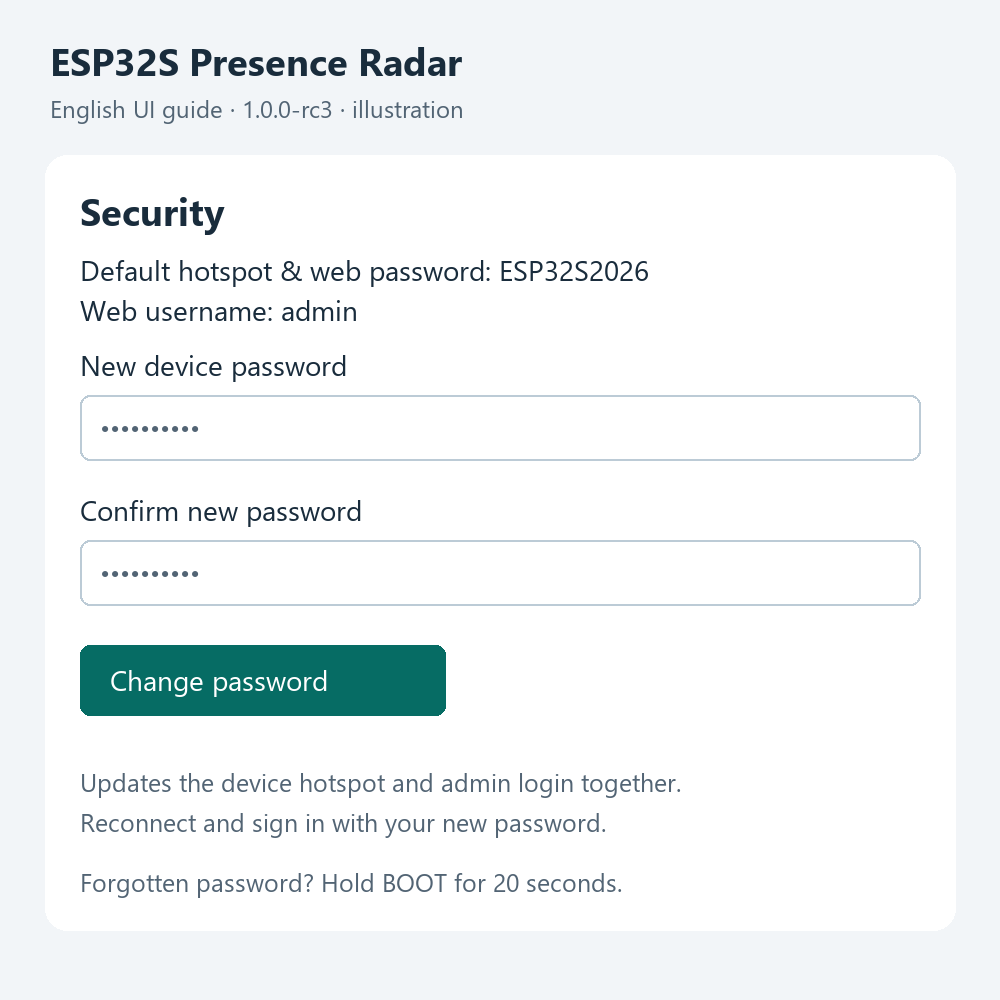
Default Wi-Fi / web password: ESP32S2026. Web username: admin. Change it in the device page under Security → Change password (rc3).
In stock

Features & Compatibility
Default Wi-Fi password & changing it
Firmware 1.0.0-rc3 and later: connect to ESP32S-Presence-xxxxxx using the public factory-default password ESP32S2026 (case-sensitive). Each board has a different hotspot suffix; the default password is the same.
Open http://192.168.4.1. Username: admin. Default web password: ESP32S2026.
Where to change the password
- Sign in to the device web page.
- Scroll to Security → Change password.
- Enter and confirm your new password (8–63 printable ASCII characters, no spaces), then press Change password.
- Reconnect to the hotspot and reload the page using the new password.
This changes the device hotspot and admin web password together, not your home/router Wi-Fi password. A custom password survives normal restarts and later rc3 application updates.
Forgotten password
While the application is running, hold BOOT continuously for 20 seconds, then release it. This clears the router settings and restores ESP32S2026. A 12-second hold clears router settings only and retains the current password. Do not hold BOOT during power-on when trying this recovery; that enters download mode.
Earlier rc1/rc2 firmware used per-unit random passwords. The common default applies only after updating to rc3; that first update migrates the old password to ESP32S2026. Later custom passwords are retained. Full factory flashing restores factory defaults.
Know when a room is occupied — without a camera
ESP32S Presence Radar pairs an ESP32-S3 mainboard with the HLK-LD2410C 24 GHz radar to detect movement and stationary presence. View the status on an English local web interface and configure your 2.4 GHz Wi-Fi from a phone. Local radar detection does not require a cloud account or internet access.
In stock, ready to ship
USD $29 per kit. Ready for immediate dispatch after order/payment confirmation. The previous made-to-order production lead time no longer applies to current stock. Delivery transit time depends on the destination and shipping service.
What you receive
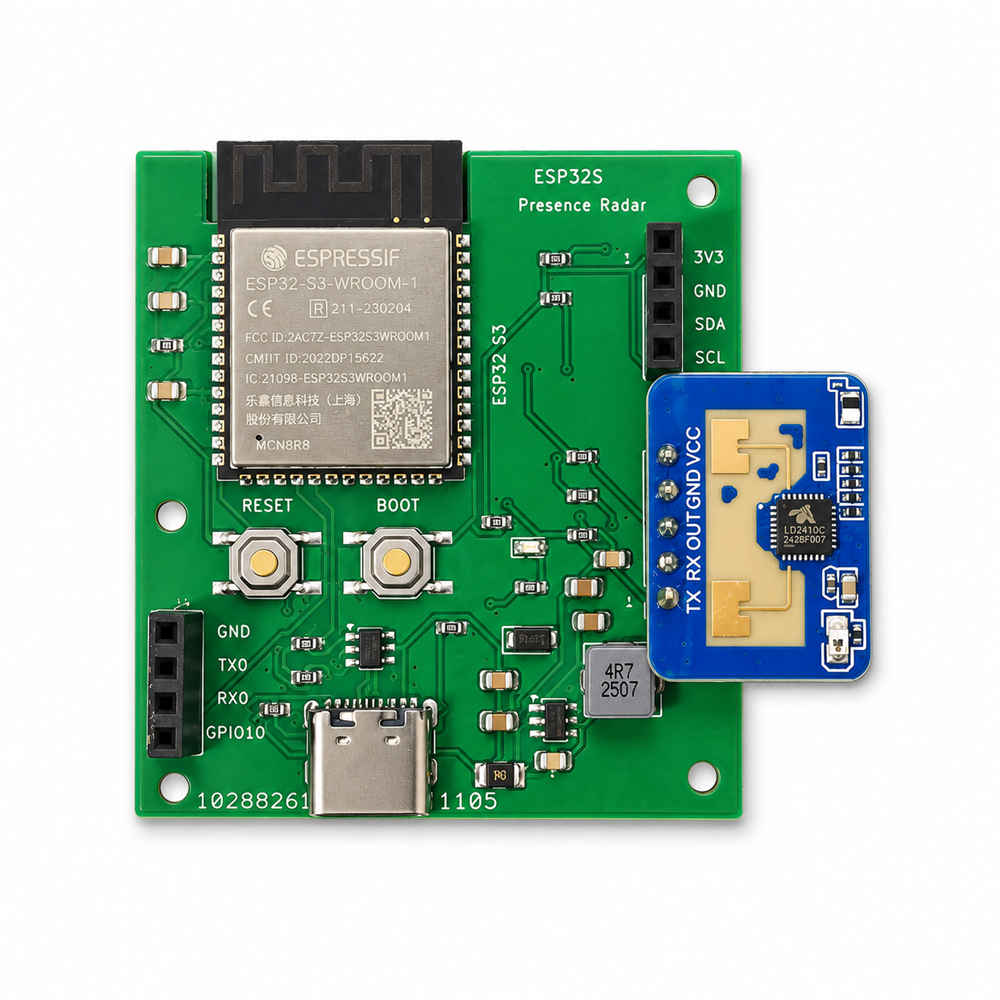
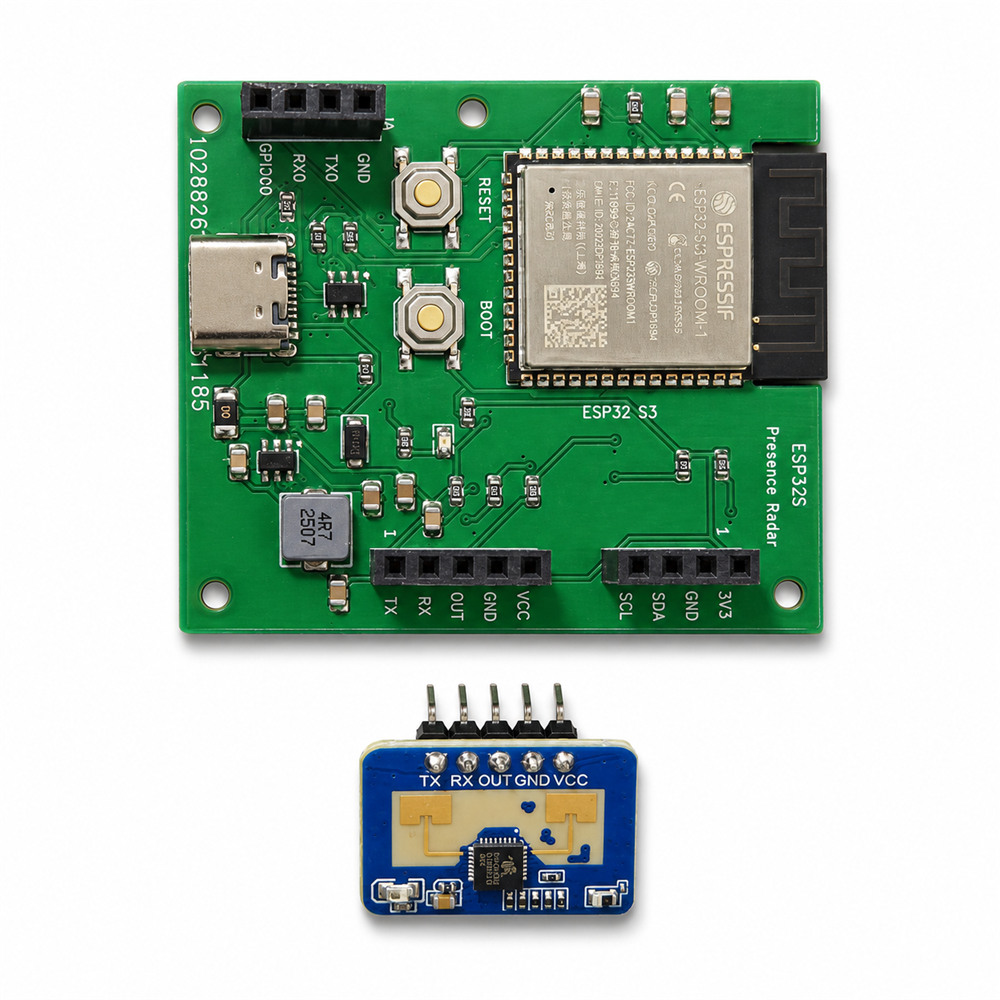
- 1 × assembled ESP32S Presence Radar R1.1 mainboard, with ESP32-S3-WROOM-1-N8R8 and integrated Wi-Fi antenna.
- 1 × HLK-LD2410C radar module.
- 1 × matching five-wire connection cable.
Not included: enclosure, USB cable or power adapter. A USB cable is visible in the powered demonstration photo for illustration only.
Three steps to local sensing
- With power disconnected, connect the radar using the labeled pins.
- Connect a stable 5 V / 1 A USB supply.
- Use the device label to connect your phone and open the English setup page.
Keep the gold radar antenna face directed toward the detection area. Disconnect power before inserting or removing the radar. A single radar can detect presence but does not count people.
Current hardware — the photos show the supplied version
The in-stock kit uses R1.1, 45 × 50 mm mainboard, female sockets and outward radar mounting. The radar extends beyond the PCB edge, so the PCB dimensions are not the complete assembled kit dimensions. Product images show the current stock configuration. The UI illustration uses example data.
- ESP32-S3-WROOM-1-N8R8: integrated PCB Wi-Fi antenna.
- USB-C 5 V power, native USB download, RESET and BOOT buttons.
- Radar UART / OUT, I2C expansion and UART0/AUX interfaces.
- No battery or charging circuit; no relay output.
- Configured product/shipping weight: 100 g.
Documentation and support
Setup, wiring and firmware Wiki · Open hardware repository
The R1.2 inward-stacking PCB remains an alternative open-hardware design. It is not the current R1.1 stock shown in these photos; confirm the revision before choosing an enclosure or assembly guide.
English customer firmware & local web interface
Version 1.0.0-rc3 · English UI · released 22 November 2026. Radar detection starts after power-up. Use a phone to view Occupied, Clear or Radar unavailable, configure 2.4 GHz Wi-Fi and adjust the mainboard clear delay. No cloud account or internet connection is required for local detection.
Download English firmware 1.0.0-rc3 — binaries, source and flashing tools (ZIP)
ZIP SHA256: 951bbefd4d6431cc5e8a7745c0d0cb7144763beb531e6d7153931df502cd6a57
First use
- Disconnect power, then check the radar connector pin labels before connecting it. Do not hot-plug the radar.
- Connect a stable 5 V / 1 A USB supply. A computer is not required for normal use.
- Connect your phone to the ESP32S-Presence-xxxxxx hotspot using the default password ESP32S2026. Stay connected if the phone warns that there is no internet.
- Open http://192.168.4.1. Sign in as admin using the device password (default ESP32S2026).
- Optionally enter your 2.4 GHz Wi-Fi details, then access the device on that local network using its IP or label hostname. The default extra mainboard clear delay is 30 seconds; the radar can add its own delay.
Buttons: hold BOOT for 5 seconds during normal operation to open a 10-minute setup hotspot; hold it continuously for 12 seconds to clear network settings and restore the default delay. Your current password is retained; hold BOOT for 20 seconds to restore ESP32S2026. Press RESET briefly to restart.
Flashing and maintenance
The ZIP contains release/factory.bin for initial factory flashing at 0x0 and release/firmware.bin for an application-only update at 0x10000 with the matching partition layout. It includes an English quick-start guide, source, checksum manifest, label tool and factory acceptance checklist. Do not interchange these offsets.
Enter download mode: hold BOOT, press and release RESET, then release BOOT. After flashing, release BOOT and press RESET alone to run the application. Full factory flashing restores ESP32S2026. Updating from rc1/rc2 to rc3 migrates the old random password to the common default; subsequent rc3 application updates retain a custom password.
This package preserves the compiler-generated DIO bootloader header. The earlier rc1 factory image that forced QIO is superseded. Always use this current package and verify its checksum.
Validation and scope
Compiled and software-tested; a physical R1.1 sample passed flash checks, radar UART and OUT presence/clear checks, English-application startup and short serial monitoring. A phone confirmed hotspot visibility on the preceding firmware. Full rc2 phone login, router provisioning, power-waveform, temperature, EMC and 24-hour tests are not yet completed. The product's R1.2 inward-stacking layout has not independently passed these R1.1 sample checks; confirm the supplied hardware revision and connector orientation before use.
Radar remains the sensing source. This release does not implement Wi-Fi CSI, cloud services, MQTT/Home Assistant auto-discovery, OTA or relay control. It is not a people counter or a safety/security alarm. Radar data loss is reported as unavailable rather than an empty room. Factory flashing, default configuration and the requested PCBA communication checks must be completed before dispatch.
Product photos — current R1.1 kit
White-background views of the assembled kit and the mainboard with radar module. A matching five-wire cable is also included. No enclosure, USB cable or power adapter is included.
Additional information
| Weight | 100 g |
|---|
Product documentation
Related products
-
ESP32-S3 Development Board with ESP32-S3-WROOM-1 Module
ModulesPrice range: $5.28 through $7.17Select options This product has multiple variants. The options may be chosen on the product page -
-
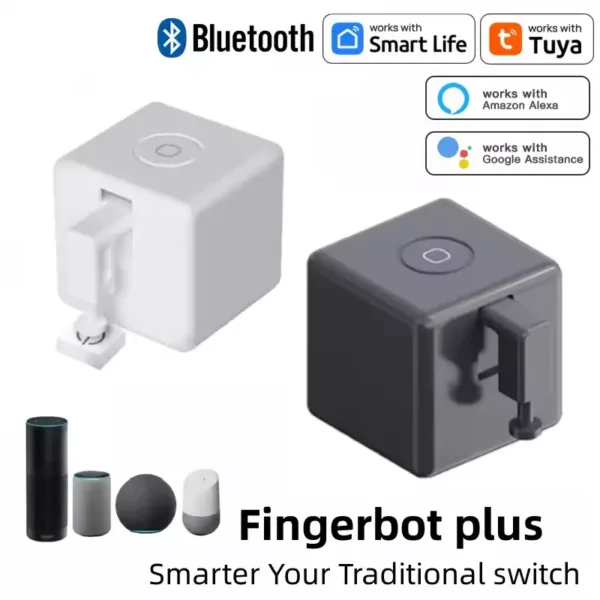
Smart Bluetooth Fingerbot - Wireless Switch Button Pusher for Smart Home, Voice Control via Alexa & Google Assistant
Smart HomePrice range: $12.51 through $51.21Select options This product has multiple variants. The options may be chosen on the product page -
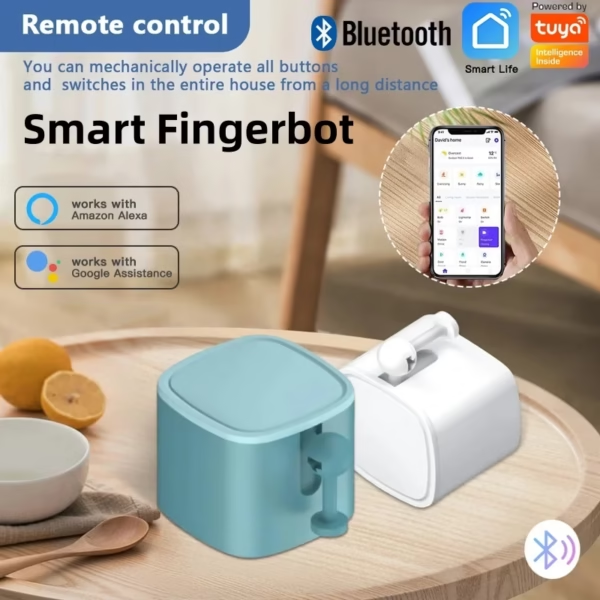
Automate Any Button: Smart Bluetooth Switch for App, Alexa, and Google Home Voice Control
Smart HomePrice range: $7.90 through $24.90Select options This product has multiple variants. The options may be chosen on the product page