
EMC/EMI Checklist Before Your Board Goes to Certification
EMC testing is expensive, and failing it is worse than the test fee — it costs you a respin, a
Understand which chip your board uses and how to get it working on any operating system
If you've ever struggled with connecting your ESP32 to your computer, you've encountered the crucial component that makes this communication possible: the USB-to-UART bridge chip. This comprehensive guide will help you understand the differences between the various chips used on ESP32 boards and provide complete driver installation instructions for each.
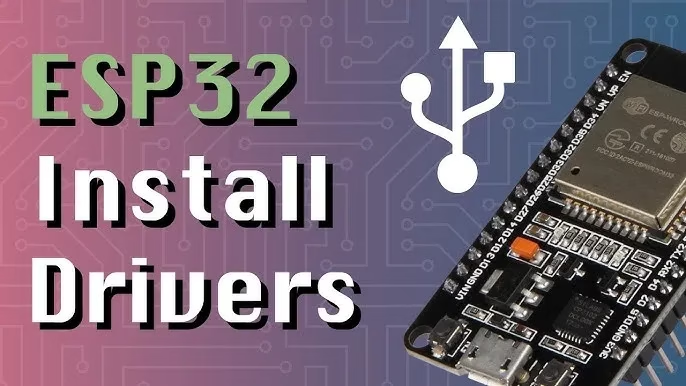
The ESP32 microcontroller communicates using serial (UART) protocol, while computers use USB. The USB-to-UART bridge chip translates between these two protocols, enabling three critical functions:
Without this bridge chip, you would need an external serial adapter to program your ESP32, adding extra cost and complexity to your development workflow.
ESP32 board manufacturers select different USB-to-UART chips based on cost, performance, and availability. Understanding these differences will help you choose the right board for your needs and troubleshoot connection issues more effectively.
| Chip Model | Key Characteristics | Typical Board Examples | Best For |
|---|---|---|---|
| CP2102 / CP2104 | Reliable, excellent Windows compatibility, widely available | Many NodeMCU-32S, SparkFun ESP32 Thing | General purpose development, Windows users |
| CH340 / CH341 | Extremely cost-effective, common on budget boards, may require driver work on newer OSes | Low-cost boards from AliExpress/Amazon, WEMOS LOLIN boards | Hobbyists on a budget, non-critical projects |
| FT232RL | Premium performance, highest stability, excellent compatibility, full hardware flow control | Adafruit boards, professional development tools | Professional development, critical applications |
| CP2102N | Newer version of CP2102, improved performance, Espressif's current preferred choice | Espressif's official ESP32-DevKitC, ESP32-WROVER-KIT | Reliable development, commercial products |
| Built-in USB-OTG | No external chip needed, uses ESP32-S2/S3's native USB peripheral | Any board based on ESP32-S2 or ESP32-S3 | Advanced projects, reduced BOM cost |
Selection Tip: For professional development, FT232RL and CP2102N offer the best stability. For hobby projects on a budget, CH340 is perfectly adequate. Most users will be well served by CP2102-based boards.
Important: Always download drivers from the official manufacturer websites. Third-party sources often host outdated, incompatible, or even malicious drivers.
For CP210x (CP2102, CP2104, CP2102N):
CP210x Universal Windows Driver from the Silicon Labs websitePorts (COM & LPT)For CH340/CH341:
For FT232RL:
CDM Drivers from FTDI's websiteFor CP210x:
brew install --cask silicon-labs-vcp-driverFor CH340/CH341:
System Preferences > Security & Privacy if requiredmacOS Security Note: On macOS Catalina (10.15) and later, you must manually allow kernel extensions in System Preferences > Security & Privacy after installation.
Linux kernels (version 2.6+) typically include built-in drivers for CP210x and FTDI chips, making installation straightforward:
ls /dev/ttyUSB* or ls /dev/ttyACM*dialout group for serial port access:Important: You must log out and log back in for this change to take effect.
For CH340 chips on some distributions, you might need to install additional packages:
Even with correct drivers, you might encounter connection problems. Here are solutions to common issues:
Understanding the differences between USB-to-UART bridge chips and knowing how to install their drivers is essential for every ESP32 developer. While all major chips perform the same basic function, their stability, compatibility, and ease of use vary significantly.
For most users, boards with CP2102N or CP2104 chips offer the best balance of reliability and affordability. The integrated USB capability of ESP32-S2 and ESP32-S3 chips represents the future, eliminating the need for external bridge chips entirely.
With the information in this guide, you should be able to identify which chip your board uses, install the appropriate drivers, and troubleshoot any connection issues that arise.
======================================


No account yet?
Create an Account